From asset model
to live HMI.
TwynIX turns AAS submodels into ready-to-run industrial screens. Start with a familiar drag-and-drop editor, then let asset semantics auto-generate widgets, bindings and behavior — no manual tag mapping, no duplicated work.
One platform, three pillars.
TwynIX gives you a model-driven HMI editor, industrial historian and secure edge connectivity all aligned to AAS.

Use Asset Administration Shell (AAS) submodels for telemetry, nameplate, documentation and control. Change the model once and every HMI and dashboard updates automatically.
- Telemetry submodel: units, scale, widget type
- Control submodel: start/stop/jog/setpoint blocks
- Semantics and behavior shared across assets
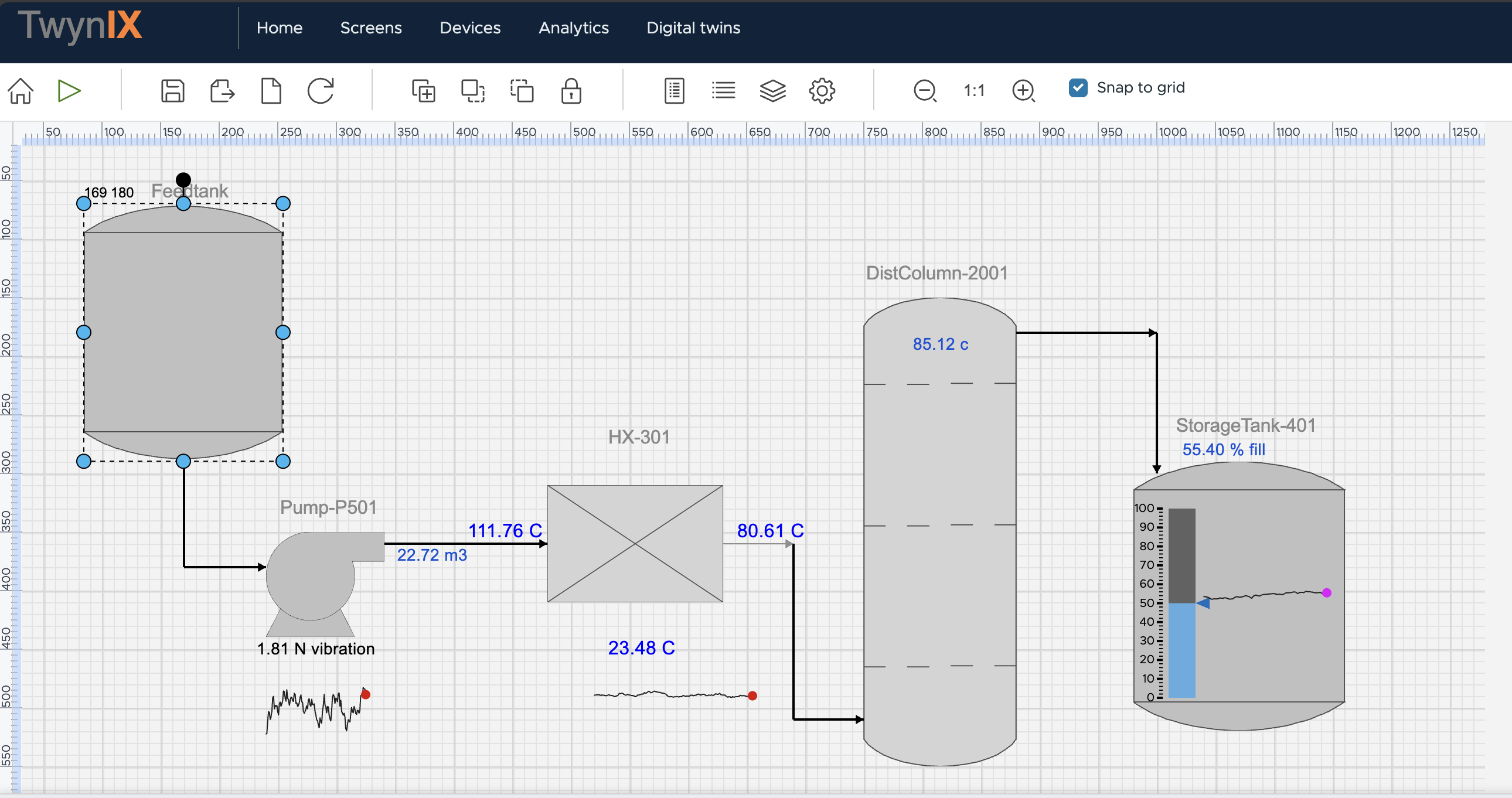
Drag-and-drop SVG editor with alarm-aware widgets and a simple DSL for animations, value formatting and logic.
- Zoom, pan, snap-to-grid layout
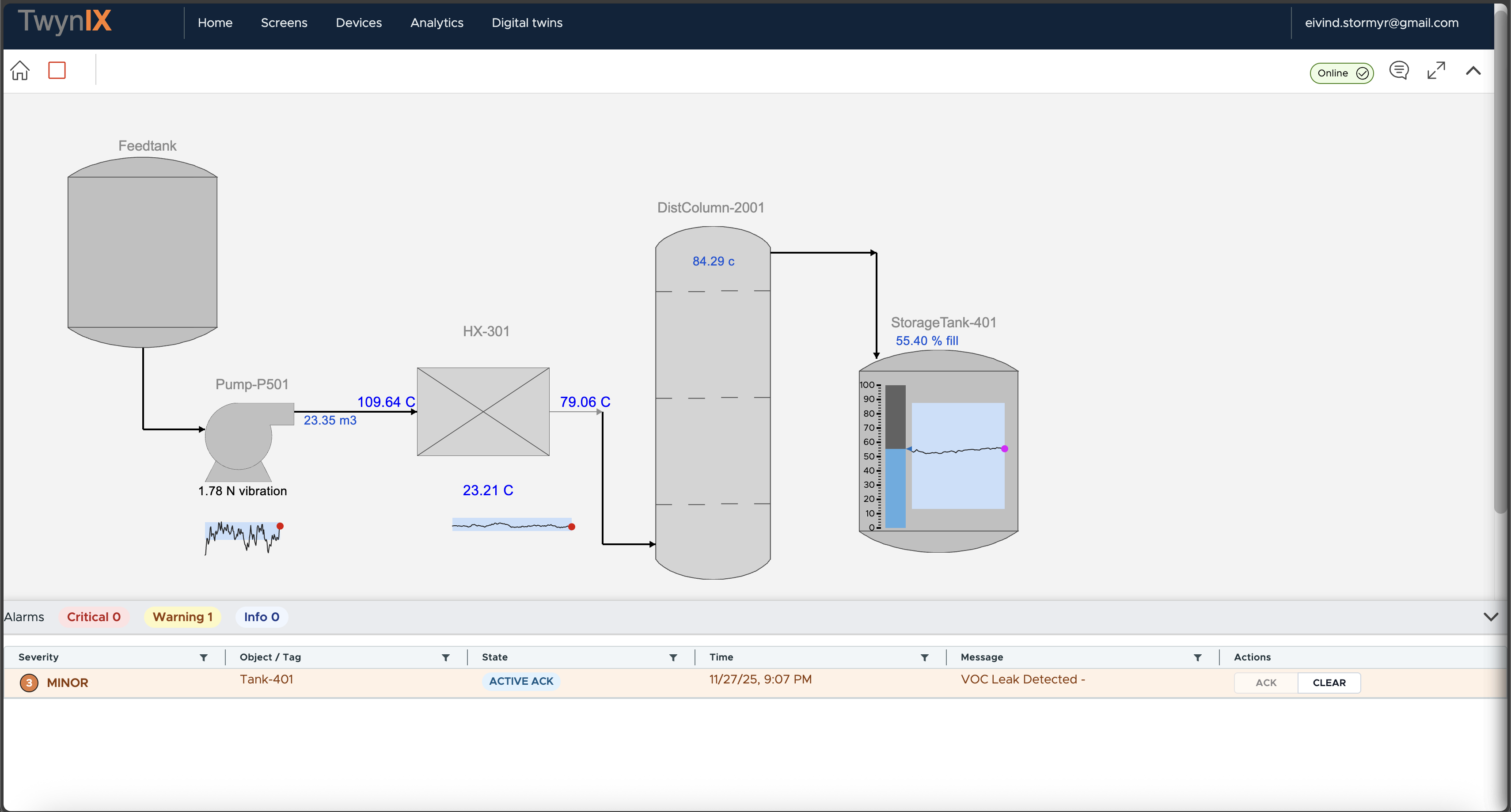
- ISA-style alarm table and indicators
- Export/import JSON, SVG or PDF
Apache IoTDB handles long-term storage, while the TwynIX gateway connects to PLCs and machines with industrial protocols.
- SQL editor for IoTDB queries
- Store-and-forward via SQLite
- Secure write-back via ThingsBoard shared attributes
From control room to edge panel.
Use the same TwynIX project to power full control-room overviews, plant dashboards and embedded HMIs at the machine.
Control-room overview
Combine live telemetry, historian trends and alarms into one SVG-based overview. Keep operators focused on the process, not on navigating between applications.
- Alarm ribbons follow ISA best practices
- Faceplates reused across similar assets
- Historian-backed charts for diagnostics
Machine & OEM HMIs
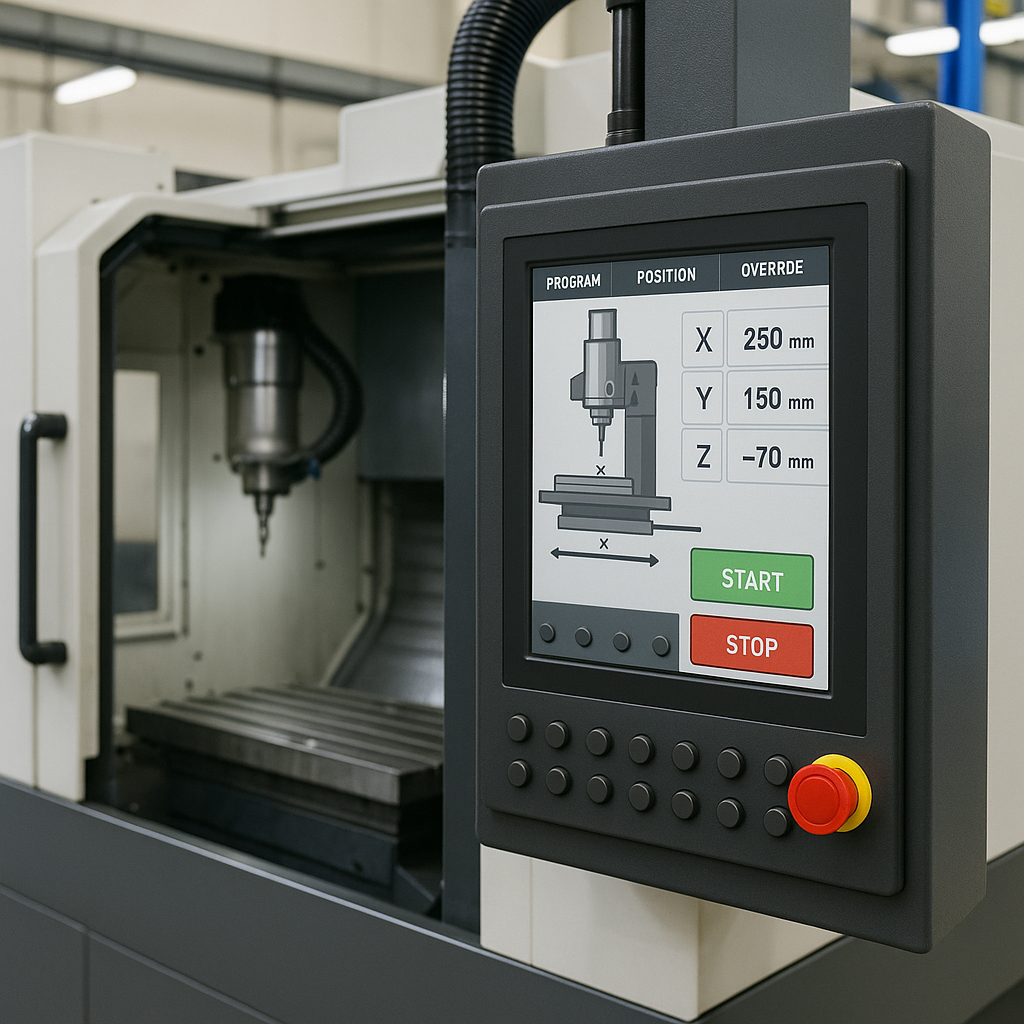
Use TwynIX to build branded HMIs for packaging machines, robot cells or skids – without exposing PLC tags or backend services to the client.
- Gateway isolates PLCs and handles protocol conversion
- Reverse proxy enforces access rights per device
- Customer views can be limited to safe data & controls
See the platform in action.
Swap these placeholders with real TwynIX screenshots – HMI editor, AAS editor and live alarm overview.


Open architecture, no lock-in.
TwynIX wraps your existing IIoT building blocks with a model-driven layer, so you keep full ownership of data and infrastructure.
Access control is enforced in a reverse proxy using ThingsBoard server attributes. If a user has no write permission to a device, the corresponding input controls are disabled and write-back to OPC UA is blocked.
TwynIX also uses the QUDT (Quantities, Units, Dimensions and Types) vocabulary to standardize the meaning of industrial telemetry. Each measured value has a canonical quantity kind and unit, so widgets, scaling and alarms behave consistently across assets and vendors.